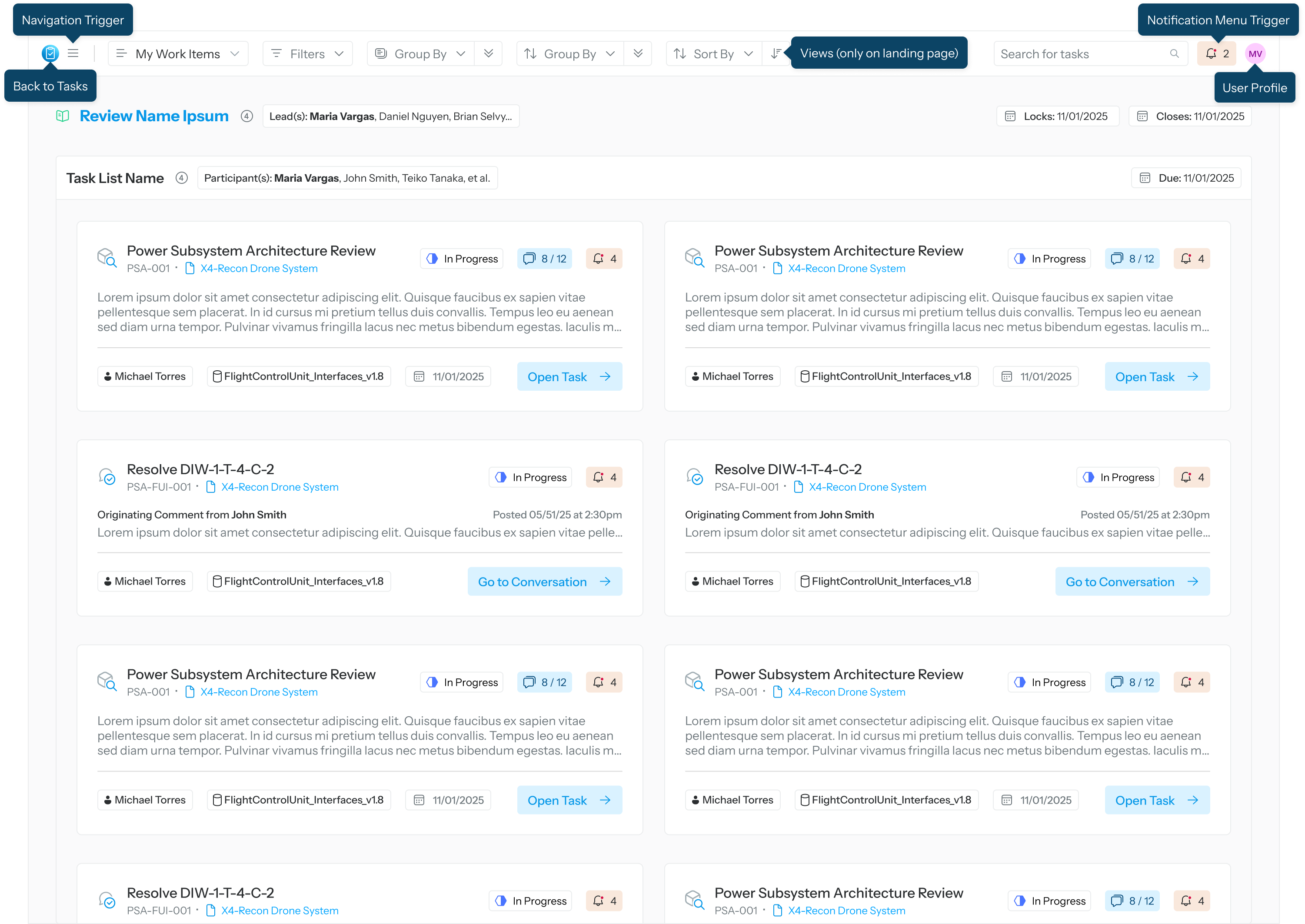
The top menu provides global navigation and quick access to task context, notifications, and user settings. It stays visible as you work, allowing you to move between task views, understand where you are in the application, and manage alerts.
Top menu items and tooltips
-
Back to Tasks: Takes you back to the Tasks list when on another page
-
Navigation Trigger: Opens the primary navigation menu, where you can access high‑level sections of the application and switch between major workflows
-
Views: Available only on the landing page, this tool helps users narrow down their work items list
-
Notification Menu Trigger: Opens the notifications panel, where you can view recent updates, comments, or changes that require your attention
-
User Profile: Displays your Sidekick persona