
Open Property Sheet of Diagram Entity
To align diagram usability with GENESYS, Sidekick allows the user to view the property sheet of a member entity on a Review Object diagram. From the main diagram of the Task Execution page, the user can command an entity node or edge to open a secondary display containing its property sheet information.
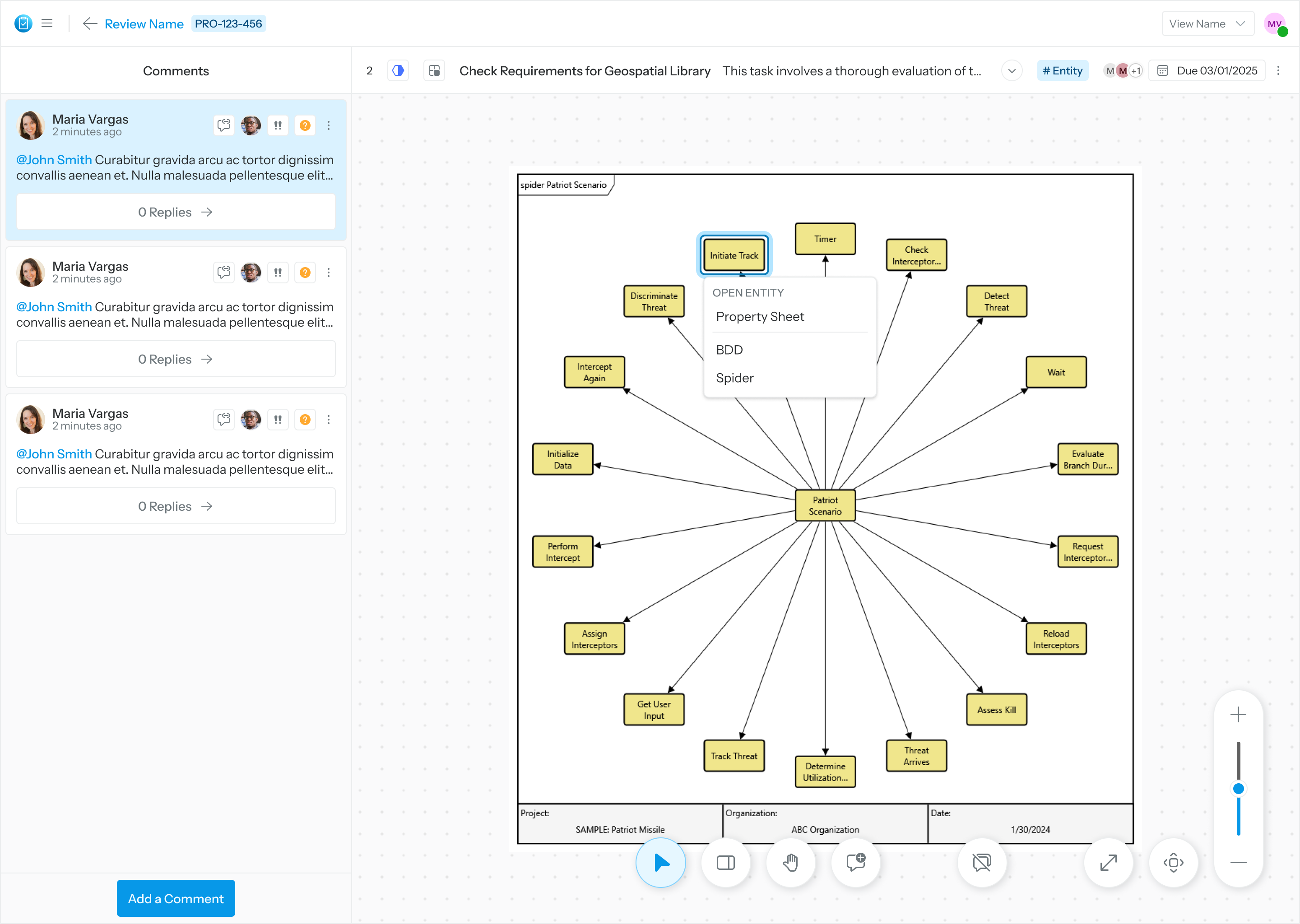
Right click on Entity Mode and select “Property Sheet”
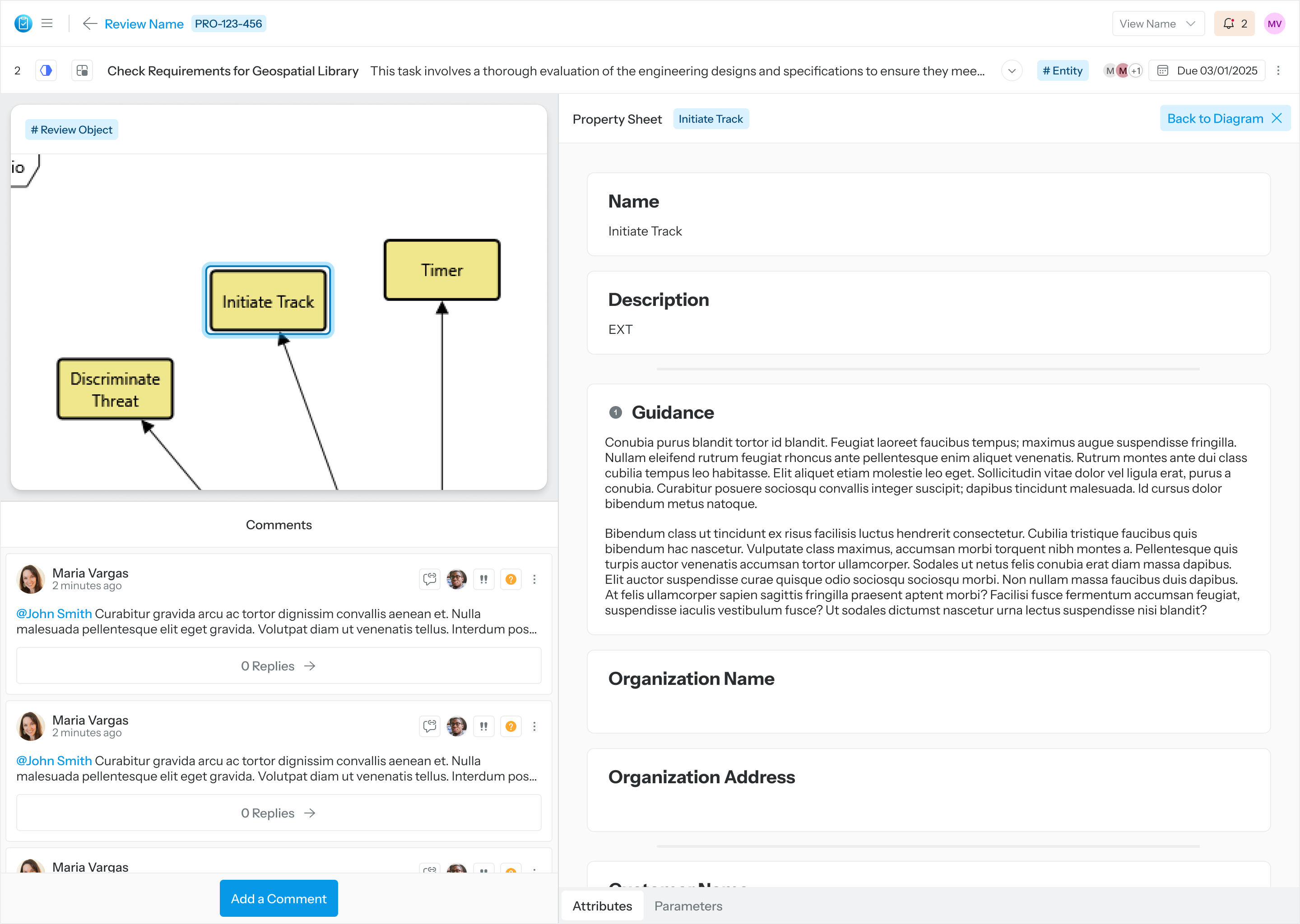
Property Sheet opens with context of the task